
The all-in-one club platform
A ticketing platform for your club, with a website editor built in.
SpicyEvents is a micro-event ticketing service for clubs and hosts. Sell tickets, run the door, and publish a branded club website from one desk — no developers, and no separate website builder, spreadsheet or payment link.
No developers. No complicated setup. No technical skills required.
Example ticket
Stop piecing together your club’s online presence.
Most clubs are juggling social media, website builders, spreadsheets, payment links, guest lists and door check-in that don’t talk to each other. SpicyEvents brings the website, the tickets and the door together in one place.
No website?
Launch a club site from the built-in editor, then publish when it is ready.
Events everywhere?
Manage the calendar from one desk, in draft or published.
Ticketing is complicated?
Set types, prices and capacity, and take payments through Stripe.
Manual door lists?
Check guests in with digital tickets and QR codes at the door.
One platform. Your entire club.
Your own club website
A branded site for the club: identity, colours, images, content and event listings, published from the built-in editor.
Event management
Create and schedule events, edit descriptions, venues, dates and ticket availability, and keep drafts off the public calendar until you publish.
Integrated ticketing
Ticket types, pricing and capacity, Stripe checkout, attendee records and digital ticket delivery — cards stay with Stripe.
Door and access control
Validate tickets, scan QR codes, check guests in and track arrivals from the access-control desk.
Club dashboard
One desk for events, ticket sales, applications, the website, memberships and the day-to-day running of the club.
Event promotion
Spicy Promote is the existing paid promotion that features an event on the SpicyEvents calendar for a chosen number of days.
Example club sites
Real sites, built in the SpicyEvents editor.
These are live club websites on SpicyEvents, not mockups. Open one to see it in the browser.
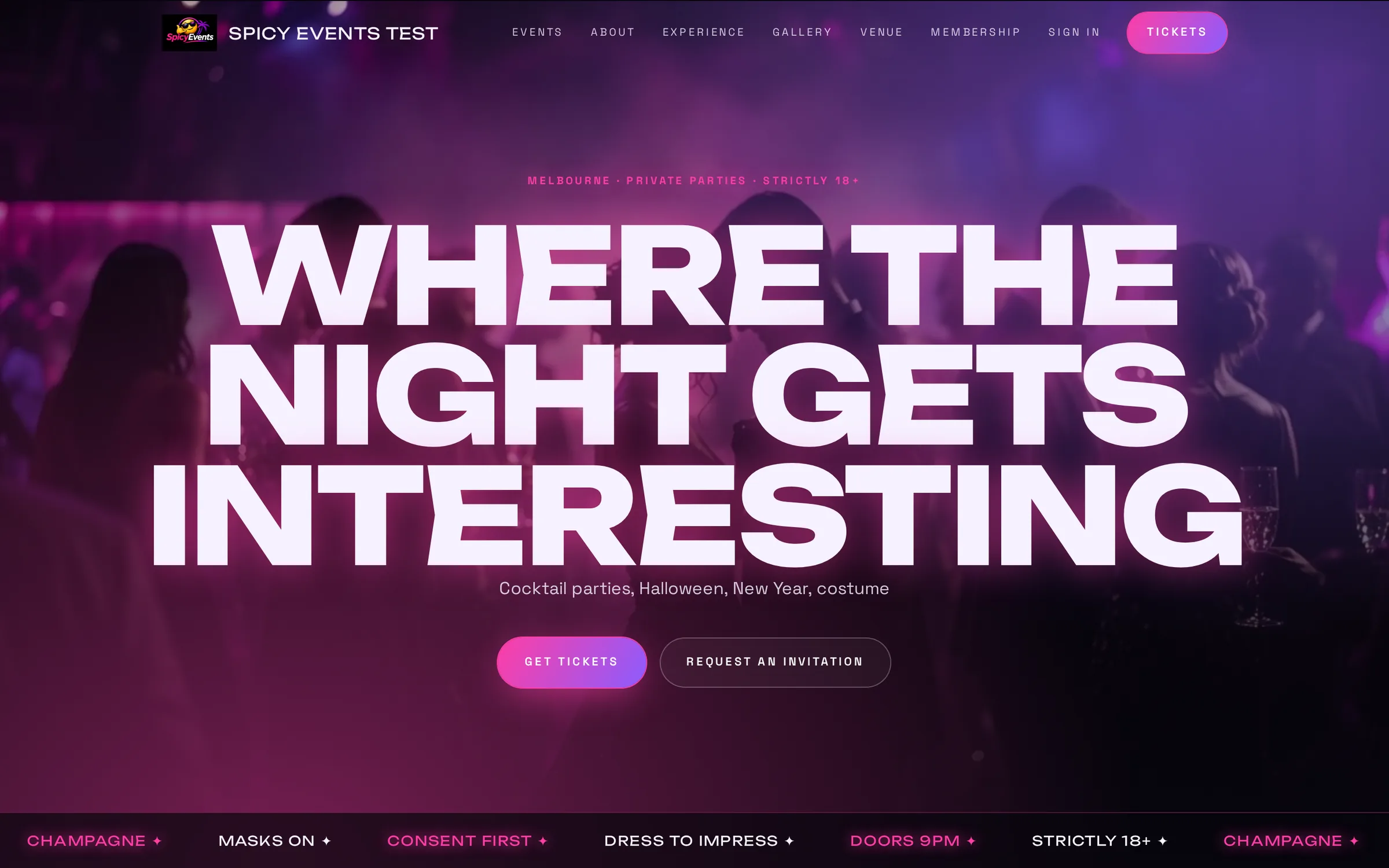
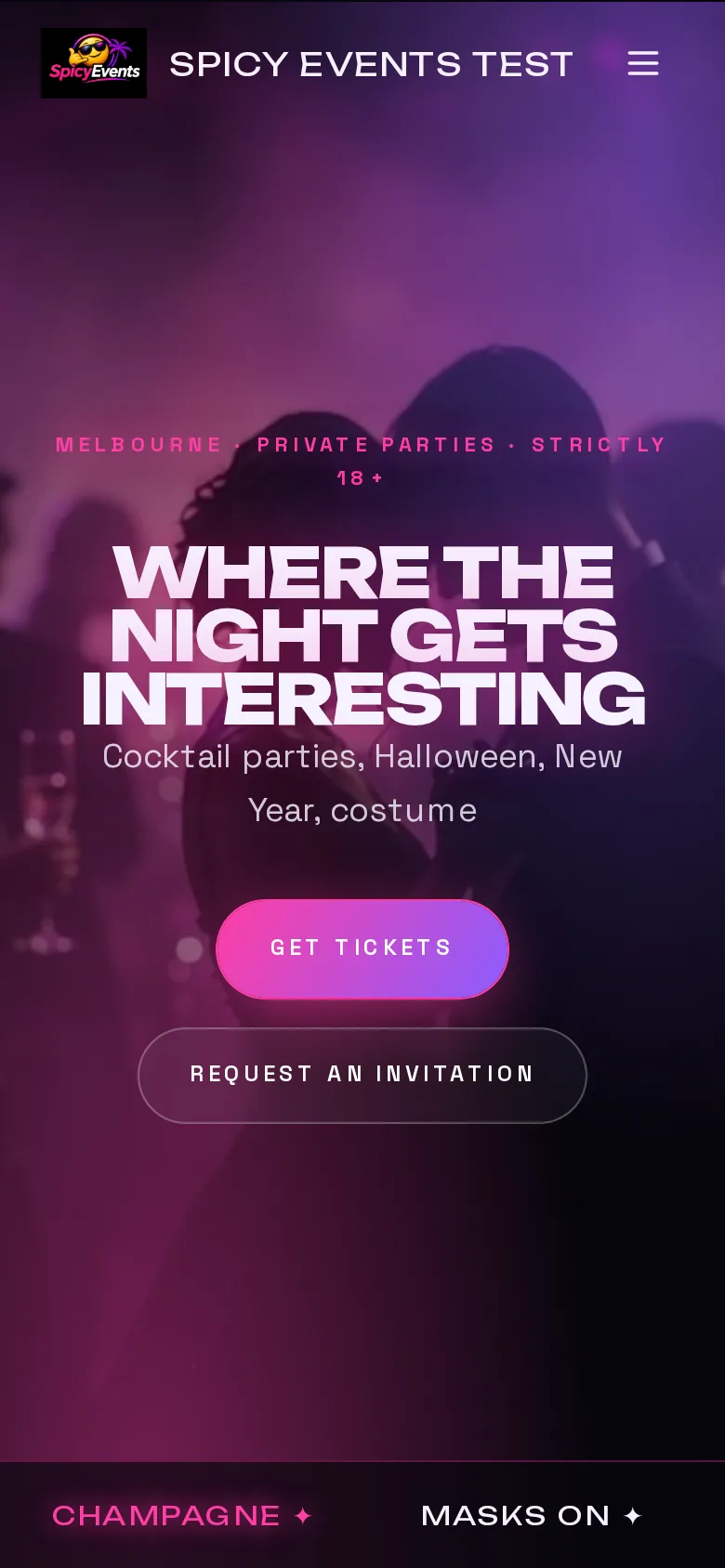
Designed by you. Powered by SpicyEvents.
Your club. Your brand. Your rules.
With our integrated website editor, you can customise your club's online presence without writing a single line of code.
Actual product screenshots of the club site editor.
- Branding
- Logo and cover images
- Colours and themes
- Copy
- Homepage sections
- Automatic event listings
- Information and contact sections
- Mobile preview
- Preview and instant publish
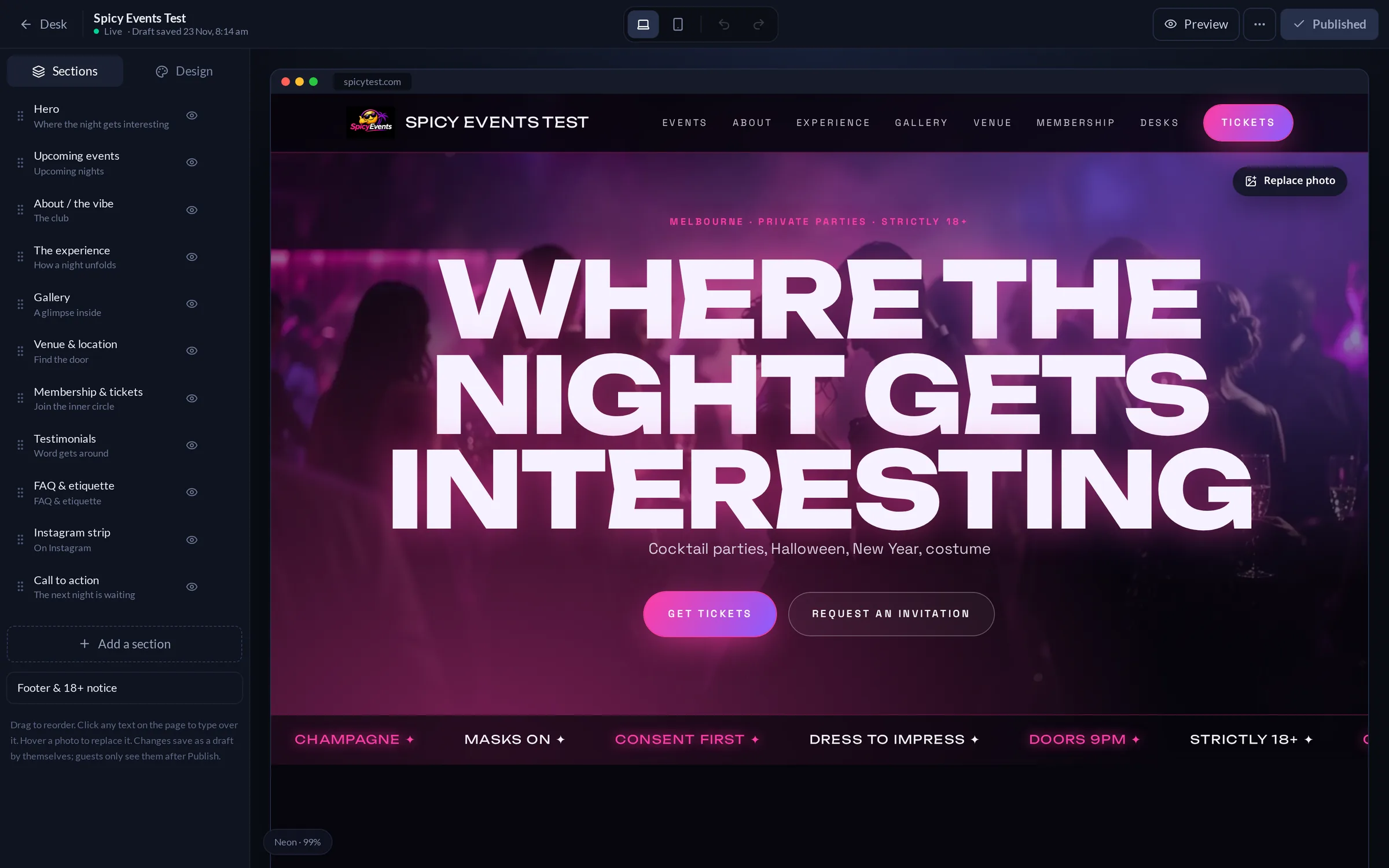
Drag, add and reorder homepage sections. Upcoming events are listed automatically from the club calendar. Drafts save as you work; guests only see changes after you publish.
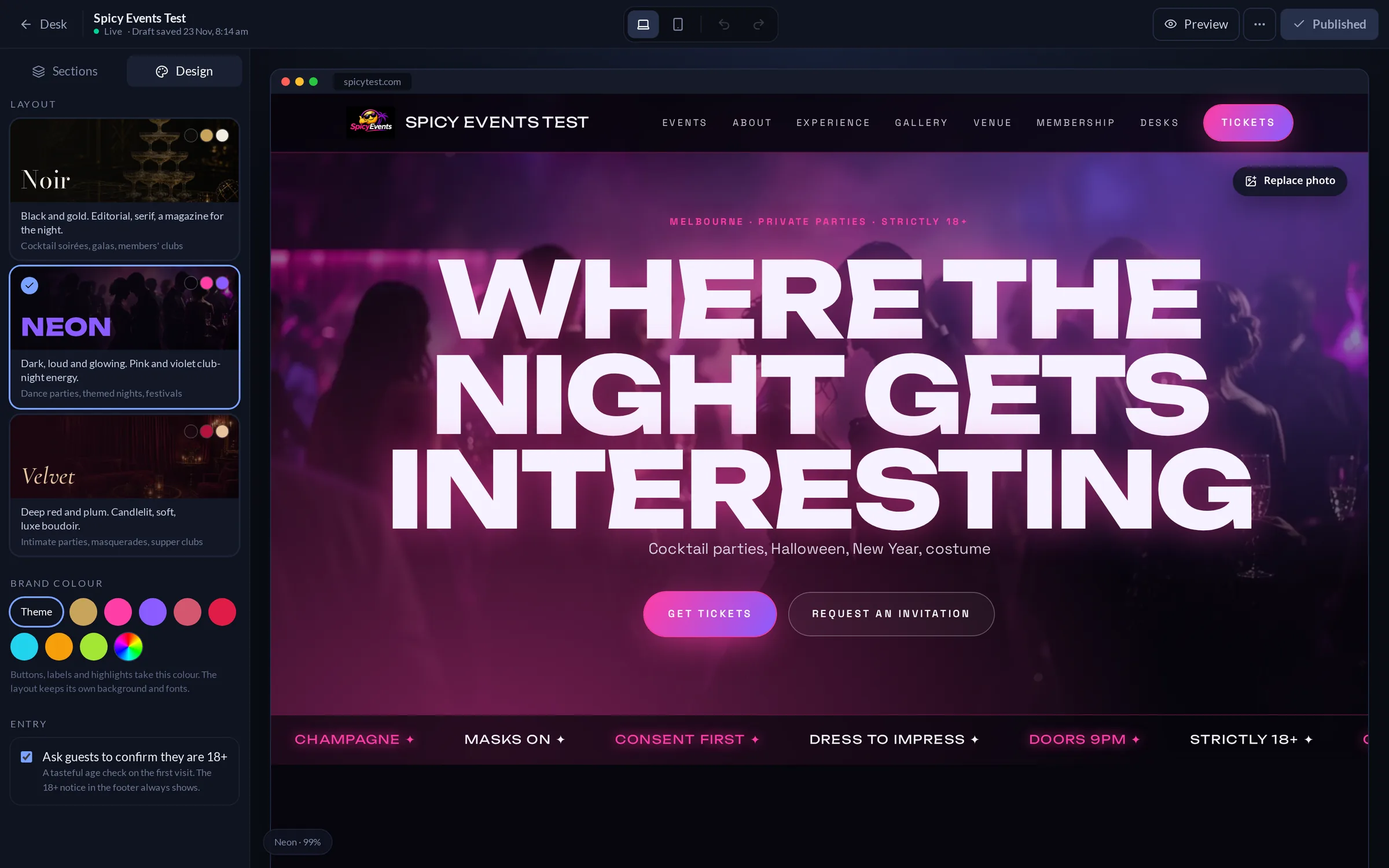
Switch themes such as Noir, Neon and Velvet, and set the brand colour, logo and cover from the Design panel.
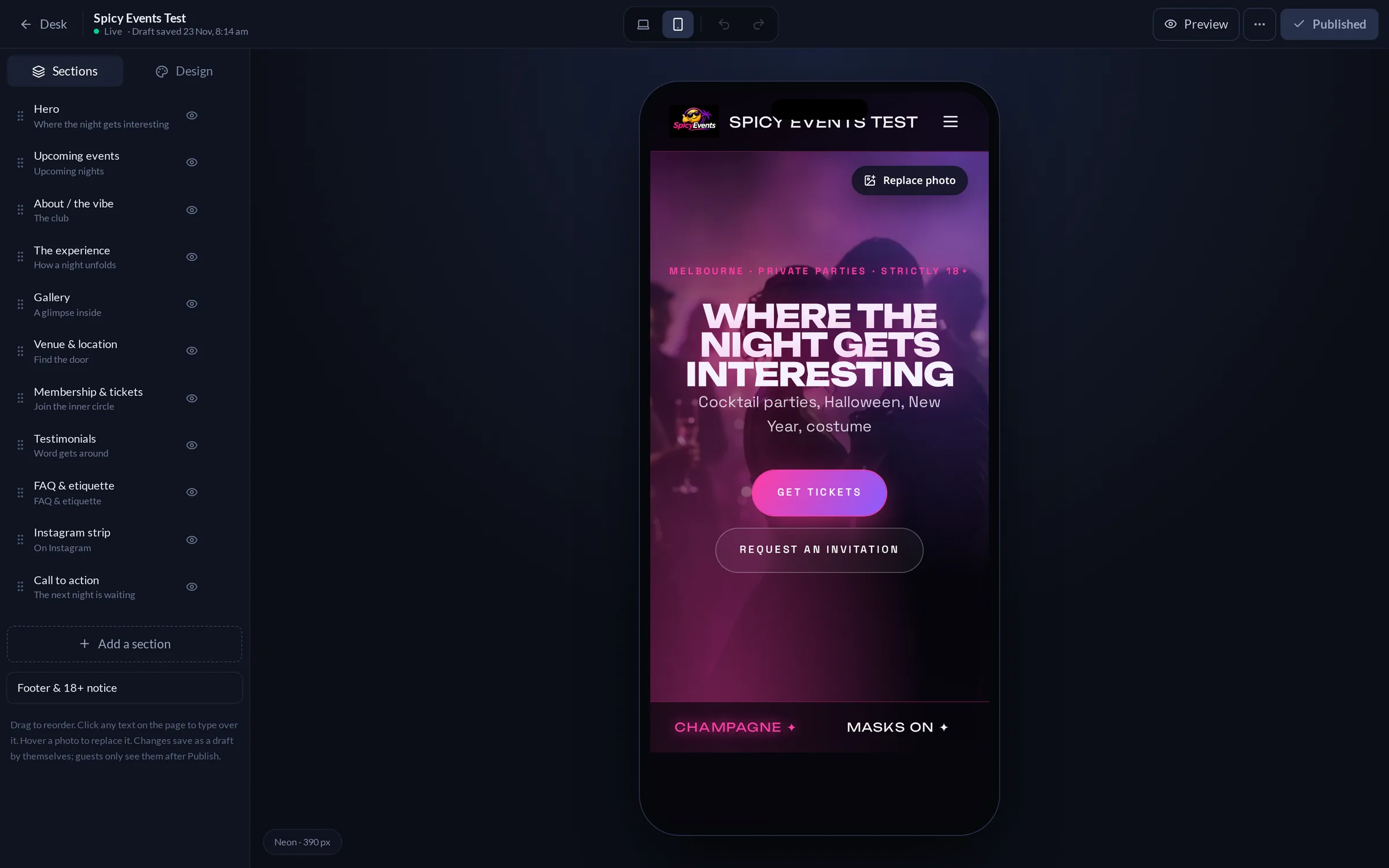
Preview the site on a phone, then open a full preview or publish from the top bar.
A quick guided setup.
No coding. No developers. No complicated integrations. A setup checklist on the desk walks you through the real steps.
1
Create your club
Register the club and the administrator account.
2
Set up the club
Name, description, logo, location and brand.
3
Design the website
Use the editor, preview, then publish.
4
Create the first event
Details, ticket types, pricing and capacity.
After that, the site is published, the event is on the calendar, and ticketing is ready to sell. Connecting a domain, setting up Stripe, or finishing a partnership offer can take a little longer.
Everything connected. Nothing complicated.
1
Build
Create the club website in the editor and publish it.
2
Create
Add events, dates, venues and ticket types.
3
Sell
Guests book and pay online through Stripe checkout.
4
Issue
Digital tickets are delivered to the buyer’s account.
5
Check in
Scan and validate tickets at the door.
6
Manage
Track sales, attendees and applications from the desk.
Built for private event communities.
Clubs can require a registration form, hold applications for the desk to approve, or auto-approve after the form is completed. House rules, terms, a privacy notice, a code of conduct and 18+ consent are recorded at join. Screening photos are stored privately for the desk. Members can manage their own profile, pause or cancel a membership, or delete their account.
Spicy Promote is available on the events desk when you want to pay to feature a night on the SpicyEvents calendar. It is the paid promotion already in the product — not a separate advertising network.
Questions
Do I need technical skills?
No. The built-in website editor is made for customising a club site without writing code. You type over text, replace photos, choose a theme, and publish when you are ready.
How long does setup take?
Setup is a quick guided path: create the club account, add details and branding, publish the site from the editor, then add an event and tickets. Connecting a domain or Stripe, or going through a partnership offer, can take longer.
Do I get my own website?
Yes. Each club gets a site at spicyevents.com/c/your-club. You can also attach a domain you already own from the desk, once DNS is pointed.
Can I customise my website?
Yes. The editor covers club name and branding, logo and cover images, colours and themes, page content and layouts, event listings, and a preview. Changes save as a draft; guests only see them after you publish.
Can I manage multiple events?
Yes. The desk holds the full calendar. You can create, schedule and edit events, set venues and dates, publish or keep a draft, and manage ticket types for each night.
How does ticketing work?
You set ticket types, prices and capacity. Guests pay through Stripe checkout — SpicyEvents does not store card numbers. Digital tickets are issued to the buyer and sit in their ticket wallet. You can add waitlists, pre-sale windows and add-ons where you have set them up.
Can guests be checked in?
Yes. Door staff use the access-control desk to validate tickets, scan QR codes, check guests in and see who has arrived.
Can I promote events?
Yes. Spicy Promote is the paid promotion already on the events desk: you pay to feature an event on the SpicyEvents calendar for a set number of days.
Is it suitable for small clubs?
Yes. It is built for clubs and hosts running their own nights — a single event or a full calendar — without assembling a separate website, ticket tool and door list.
Can I use my own branding?
Yes. You can add a logo and cover image, pick a site theme, and edit the copy and photos on your pages before you publish.
Stop managing events the hard way.
Your website, event management, ticketing and door — all in one platform, with a quick guided setup.